 ModelFold
seedream/4.5-text-to-image
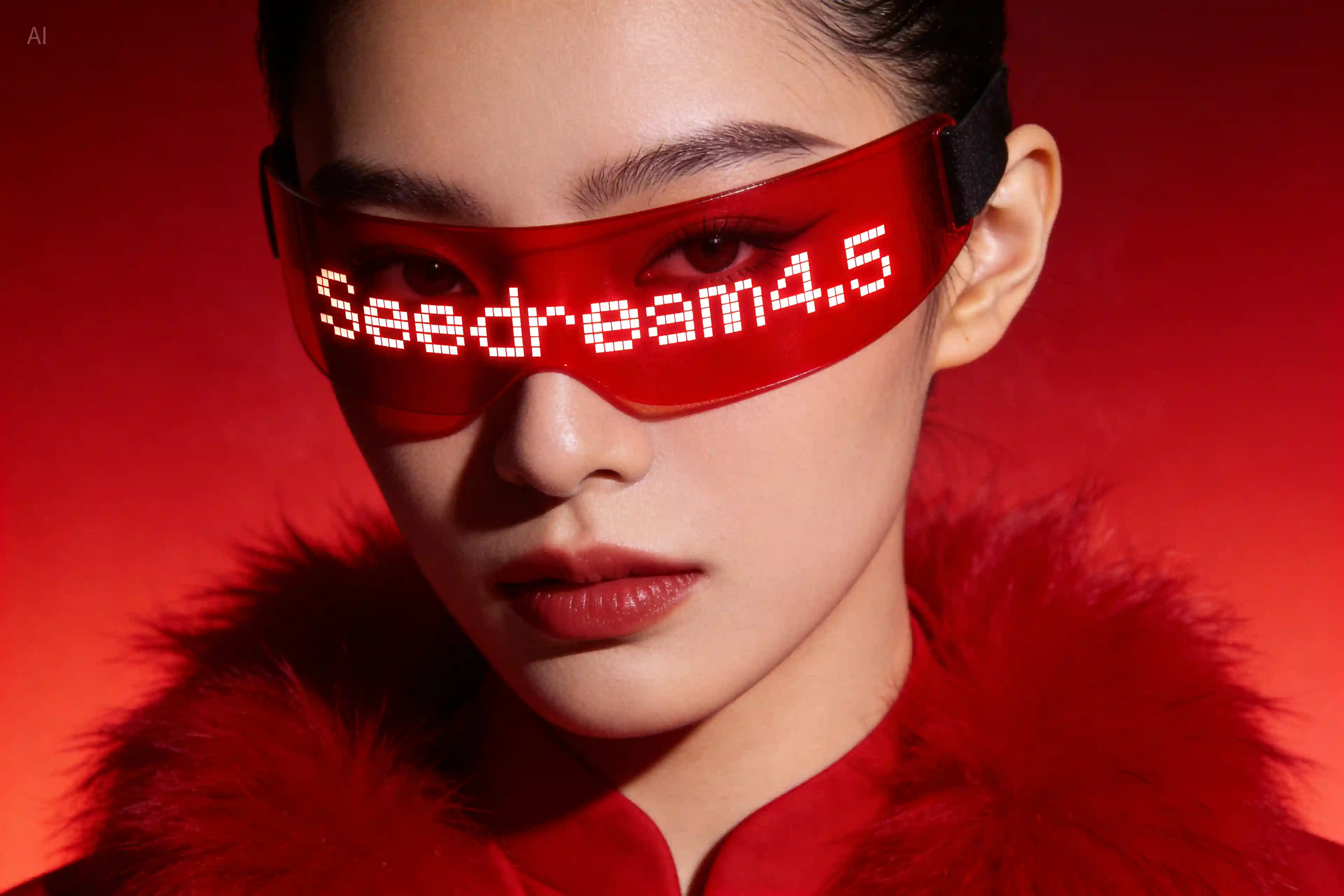
Seedream 4.5 is Bytedance’s refined image model for 4K generation, precise editing, and consistent multi-image output.
Pricing: Basic (2K) 9 credits / image, High (4K) 9 credits / image.
Explore more Image to Image models
More AI models from ByteDance
Latest and popular AI models
Seedream 4.5 API: Text-to-Image and Image Editing
Seedream 4.5 is ByteDance Seed's image model for generation and editing, built for poster layouts, readable small text and edits that stay consistent with your reference images. On ModelFold it runs as two API models: seedream/4.5-text-to-image and seedream/4.5-edit.
Seedream 4.5 API Parameters on ModelFold
The two models take the same prompt, aspect ratio and quality settings; seedream/4.5-edit also takes your reference images.
| Parameter | Value |
|---|---|
| Models | seedream/4.5-text-to-image (generate from text); seedream/4.5-edit (edit with reference images) |
| Endpoint | POST https://ai.modelfold.online/v1/images/generations; the response returns the finished image URLs |
| Prompt | Required; up to 2,000 characters |
| Reference images (image_urls) | Required for seedream/4.5-edit; up to 14 image URLs; JPEG, PNG or WebP; up to 30 MB each |
| Aspect ratio | Required; 1:1, 4:3, 3:4, 16:9, 9:16, 2:3, 3:2 or 21:9 |
| Quality | Required; basic returns 2K images, high returns 4K images |
| Output size in our tests on ModelFold | High at 16:9: 5504×3040. Basic at 1:1: 2048×2048. Basic at 4:3 (edit): 2304×1728 |
| Output format | Not fixed: PNG or JPEG (all four of our tests returned JPEG) |
| Pricing | Shown in the pricing card above |
What Seedream 4.5 Can Generate
Each example below was generated with Seedream 4.5 on ModelFold in October 2026 from the prompt described in its caption; images are shown as generated, resized for the web.
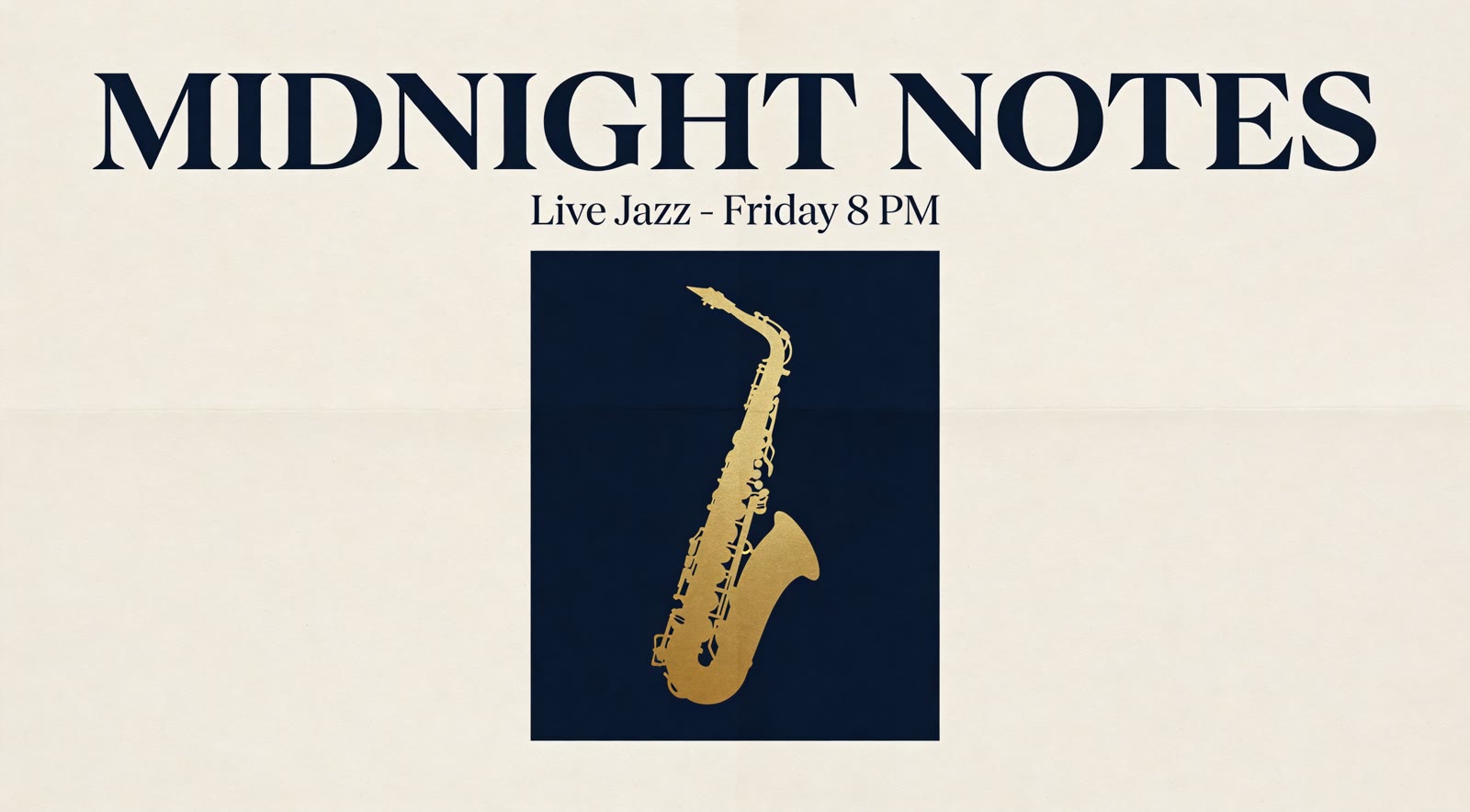
Poster Text and Layout: A Jazz Night Poster at High Quality
ByteDance says Seedream 4.5 offers designer-level composition and clear, readable small text for posters. With quality set to high, this 16:9 poster came back with the title "MIDNIGHT NOTES" and the line "Live Jazz - Friday 8 PM" spelled exactly as written. We asked for a deep navy background; the model put the navy in a panel behind the saxophone and kept the paper cream.
Photorealistic Product Shots: A Ceramic Mug by the Window
A two-sentence prompt with quality set to basic produced this product photo: a speckled glaze, morning window light, a little rising steam and a shallow depth of field.

Multi-Image Editing: A Robot Mascot Placed in a Cafe
ByteDance says Seedream 4.5 accurately identifies target elements across multiple input images. Given a robot from one image and a chalkboard menu from another, it placed the robot on the counter with its colors, eyes and chest icon unchanged. It also covered part of the last menu line, which the prompt asked to keep.

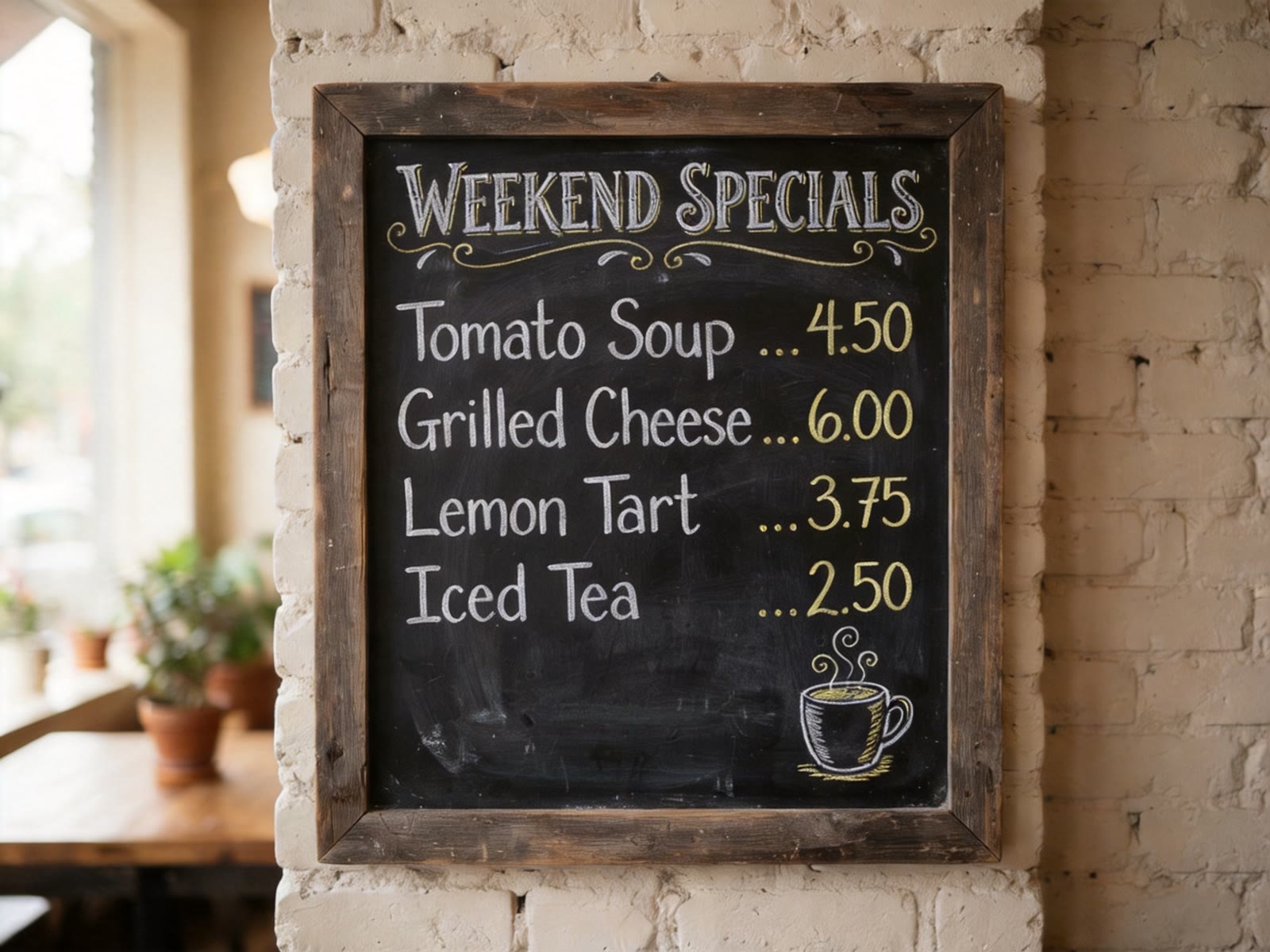
Text Editing: One Word Changed on a Chalkboard
Asked to change the title from "TODAY'S SPECIALS" to "WEEKEND SPECIALS", Seedream 4.5 rewrote the title in the same chalk style and left the four dishes, prices and drawing untouched.
Which Seedream Model to Use
Both are ByteDance Seed image models; Seedream 5.0 Lite, the newer one, takes a similar request on ModelFold but adds a third quality level and lets you choose the output format. On LMArena, Seedream 4.5 scores higher for both text-to-image and single-image editing; the table shows the scores. In our own test in October 2026 we gave both the same poster prompt asking for a deep navy background at basic quality: Seedream 4.5 put the navy in a panel on cream paper, as it also did in an earlier run, while the newer model used a navy background as asked; both spelled the poster text correctly. For the same chalkboard text edit, the two results matched. These are single runs, so if layout or background instructions matter for your work, try both on your own prompts. Pricing is shown in the pricing card above.
| Seedream 4.5 | Seedream 5.0 Lite | |
|---|---|---|
| Models on ModelFold | seedream/4.5-text-to-image, seedream/4.5-edit | seedream/5-lite-text-to-image, seedream/5-lite-image-to-image |
| Quality levels | basic (2K), high (4K) | basic (2K), high (3K), ultra (4K) |
| Output format | Not fixed (PNG or JPEG) | You choose PNG or JPEG |
| Output size at basic, 16:9 (our test) | 2848×1600 | 2560×1440 |
| Same poster prompt asking for a navy background (our test) | Cream paper with a navy panel | Navy background as asked |
| Same chalkboard text edit (our test) | Changed the title, kept the rest | Changed the title, kept the rest |
| LMArena text-to-image score (Oct 7, 2026) | 1149±3 | 1138±3 |
| LMArena single-image edit score (Oct 6, 2026) | 1302±2 | 1294±3 |
Typical Uses for Seedream 4.5
ByteDance positions Seedream 4.5 for posters, brand visuals and editing that stays consistent with reference images. These are the kinds of work that fit.
Posters and Event Graphics
Event posters, flyers and banners where the title, date and small print have to be readable in the image itself.
Brand Visuals and Logo Concepts
Brand visuals and logo concepts that need designer-style composition and clean typography.
Edits That Keep the Original Look
Edits to product shots and portraits where the features, lighting and color tone of the reference image should stay the same.
Composites From Several Images
Scenes built from several input images, such as placing a product or character from one image into another.
How to Use the Seedream 4.5 API on ModelFold
- 1
Step 1. Get Your API Key
Sign up on ModelFold, open the API Key Management page and create a key. Every request sends it in the Authorization header.
- 2
Step 2. Test Your Prompt in the Playground
You can try this model in the playground on this page without writing code. Try the same prompt at basic and high quality to see the difference in output size.
- ✓
Step 3. Send the Request and Get the Result
Send a POST request to https://ai.modelfold.online/v1/images/generations with the model name and your prompt. The response returns the finished image URLs, so there is no task polling or callback to set up. Aspect ratio, quality and reference images from the table above can all be tried in the Playground on this page.
Tips Before You Ship
Set Quality and Aspect Ratio on Every Request
Both fields are required on both models. Choose high quality only when you need the 4K output.
Do Not Assume PNG or JPEG
The output format is not fixed: results may be PNG or JPEG, so read the file type from the result instead of hard-coding it.
Pass Image URLs, Not Files
Reference images go in image_urls as publicly reachable URLs.
Check What an Edit Covered
In our multi-image test the added robot hid part of a menu line the prompt asked to keep, so compare each edit with its references before you publish.
Why Use Seedream 4.5 on ModelFold
Same Key Across the ModelFold Market
All models in the ModelFold market use the same authentication method: an Authorization: Bearer YOUR_API_KEY header with the key from your ModelFold API Key Management page.
Free Credits to Start
New ModelFold users receive 80 free credits for testing. Your account has one credit balance that all generation services draw from; check it in your ModelFold wallet.
Nothing to Host or Install
ModelFold provides this model as an API with a playground; there is no app to download or install. There are no GPUs or model weights to manage.
Frequently Asked Questions
Is Seedream 4.5 free?⌄
Not on ModelFold: each image uses credits, as shown in the pricing card above. New ModelFold users receive 80 free credits for testing.
How much does the Seedream 4.5 API cost?⌄
Pricing is shown in the pricing card above.
What is the difference between Seedream 4.5 and Seedream 4.0?⌄
ByteDance says Seedream 4.5 achieves an all-round improvement through the overall scaling of the model, and lists consistency with reference images, poster layout with readable small text, and accurate multi-image editing as its strengths. On LMArena, Seedream 4.0 is listed only in variant configurations, so we do not compare their scores.
Is Seedream 4.5 open source, and can I download it?⌄
No. Seedream 4.5 is a proprietary ByteDance model: LMArena lists it as proprietary, and as of October 2026 ByteDance has not released its weights, so there is no official download. ModelFold provides this model as an API with a playground; there is no app to download or install.
How do I get a Seedream 4.5 API key?⌄
Create one on the API Key Management page after you sign up on ModelFold. The steps above show where the key goes in a request.
Does Seedream 4.5 support 4K output?⌄
Yes: set quality to high. In our 16:9 test it returned a 5504×3040 image; the parameter table above lists the other sizes we measured.
How many reference images can Seedream 4.5 use?⌄
Up to 14 image URLs per request with seedream/4.5-edit, each JPEG, PNG or WebP and up to 30 MB.
Can Seedream 4.5 change text inside an image?⌄
Yes. Describe the change in the prompt and pass the image to seedream/4.5-edit; the chalkboard example above changed one word in the title and kept the rest of the menu.
| 4.5 Edit | |
| Basic (2K) / High (4K) | 9 credits / image |
| 4.5 Text To Image | |
| Basic (2K) / High (4K) | 9 credits / image |
curl https://ai.modelfold.online/v1/images/generations \
  -H "Authorization: Bearer $MODELFOLD_API_KEY" \
  -H "Content-Type: application/json" \
  -d '{"model":"seedream/4.5-text-to-image","prompt":"..."}'