 ModelFold
gpt-image-2-text-to-image
GPT Image 2 is OpenAI’s next-gen image model built for stronger photorealism, cleaner image editing, sharper text rendering, and more polished product photography. Designed for more advanced visual workflows, it pushes image generation beyond basic text-to-image output and into higher-quality creative, commercial, and design-ready use cases.
Pricing: 1K 8 credits / image, 2K 13 credits / image, 4K 20 credits / image.
Explore more Text to Image models
More AI models from OpenAI
Latest and popular AI models
Affordable GPT Image 2 API for Advanced Image Generation
ModelFold makes GPT Image 2 API easier to access for image generation, image editing, text-rich visuals, and higher-quality commercial image workflows.
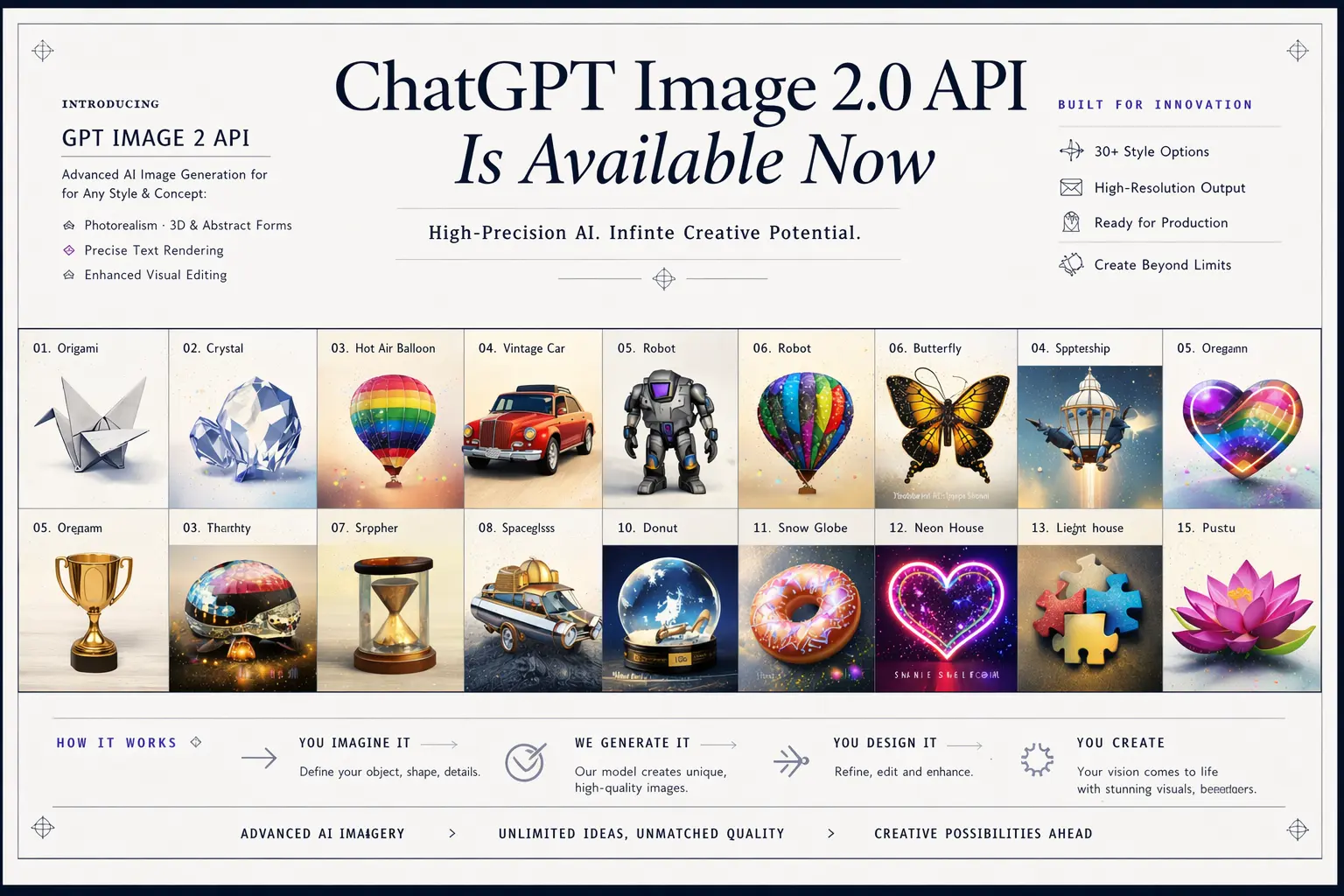
Main Ways to Create with GPT Image 2 Model API
Text to Image with GPT Image-2 API
GPT Image-2 API can turn written prompts into polished visual output, making it a strong fit for teams that want to generate marketing creatives, product concepts, social media visuals, ad images, illustrations, and branded design assets directly from text. This text-to-image workflow gives developers a flexible way to build AI Image Generator experiences around fast visual ideation, structured prompt-based creation, and more refined image output for real creative workflows. If you’re using GPT Image 2 to create polished product photography from prompts, the GPT Image 2.5 API offers sharper visual quality for more compelling final images.
Image to Image with GPT-Image-2 API
GPT-Image-2 API can also work from existing images, making it useful for workflows that involve transforming, refining, or visually updating an uploaded input. This image-to-image approach fits use cases such as style changes, background replacement, product recoloring, subject enhancement, composition cleanup, and other controlled edits that need to preserve important parts of the original image. For teams building AI Image Editor products, it adds a more practical path for creating cleaner transformations with stronger visual control.
Key Features of OpenAI’s GPT Image 2 API
Near-Perfect Text Rendering with GPT Image 2 API
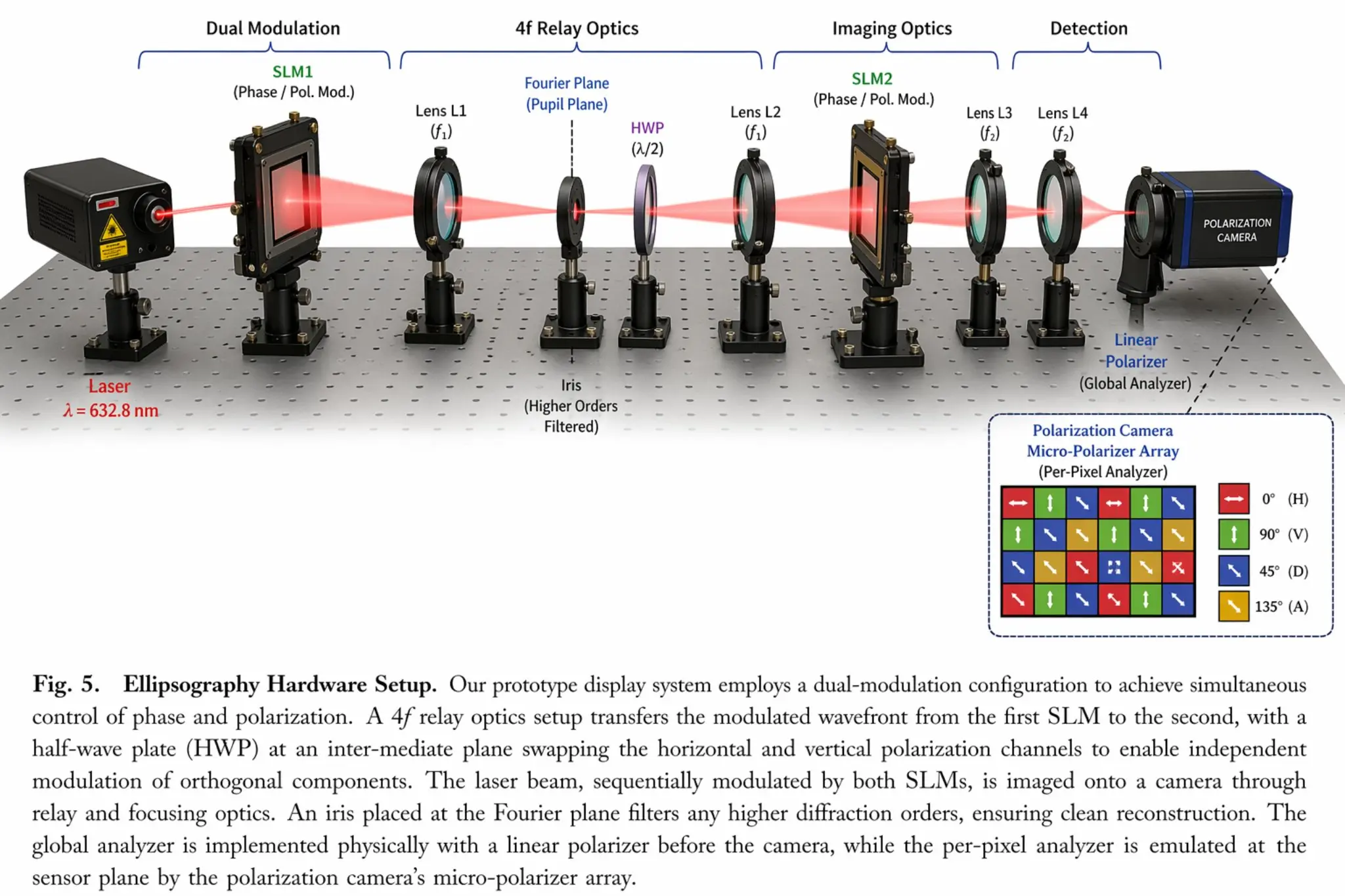
GPT Image 2 API makes text inside images far more usable for real creative work. It can handle long phrases, multi-word labels, clearer punctuation, and stronger casing consistency, which is especially valuable for storefront mockups, posters, UI concepts, infographics, product packaging, and branded marketing assets. Instead of leaving typography as the weakest part of the image, GPT Image 2 API helps make it feel intentional, legible, and visually aligned with the rest of the composition.
Pixel-Level Editing That Preserves Visual Consistency in GPT Image-2 API
GPT Image-2 API is especially useful in editing workflows where one part of an image needs to change without disrupting everything around it. Product recoloring, object replacement, background updates, and local scene refinements can be handled in a way that keeps original lighting, shadows, textures, and surrounding style more coherent. For AI image editing products, this kind of pixel-level control makes the result feel cleaner and more stable than broad full-image regeneration.
World-Knowledge Realism for More Grounded Visual Output with GPT Image 2 Model API
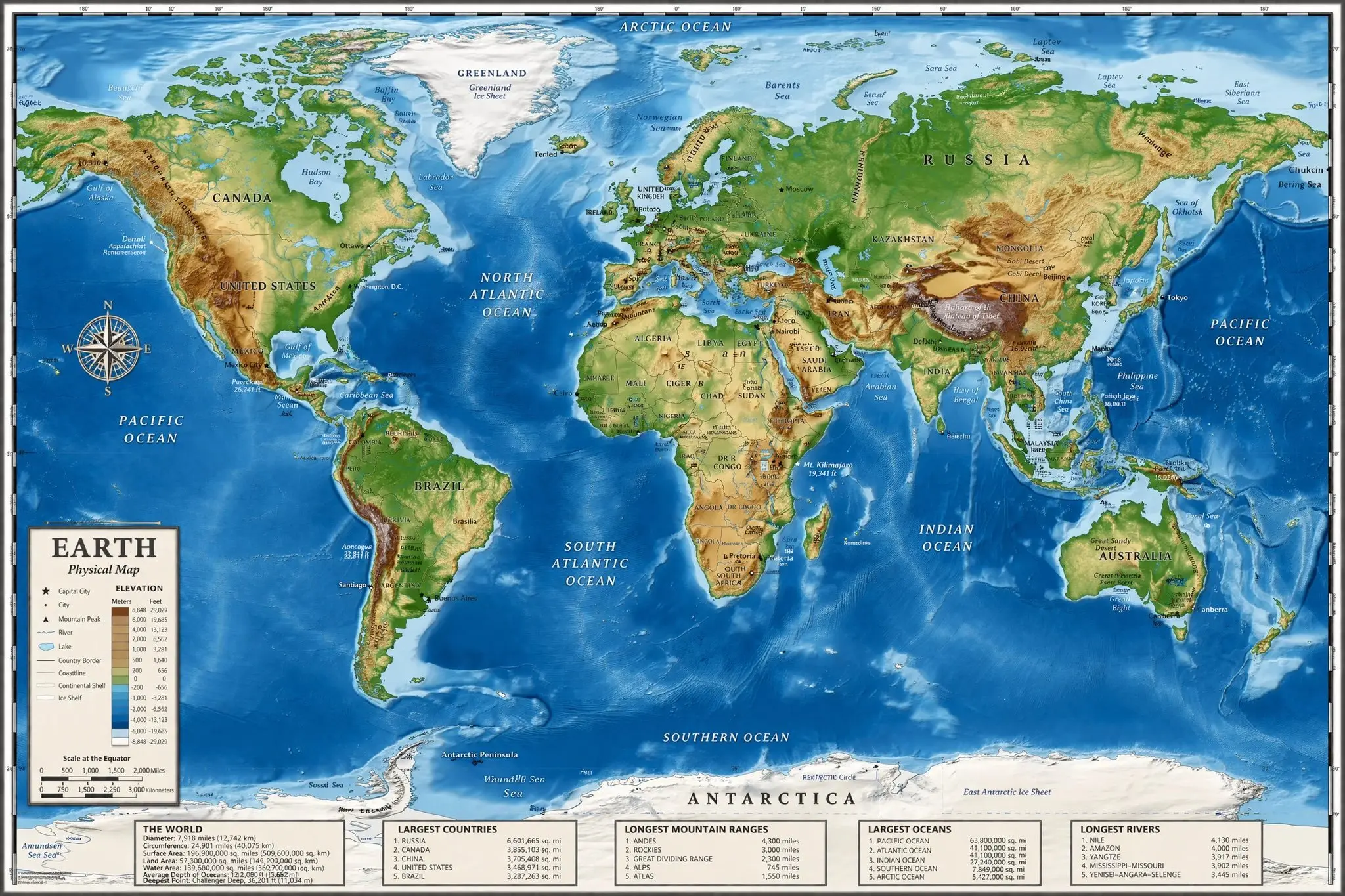
GPT Image 2 Model API is better suited for image generation tasks where visual credibility matters as much as aesthetics. That includes maps, anatomy-style diagrams, historical reconstructions, architectural scenes, educational visuals, and other outputs that depend on stronger structure and factual coherence. By improving how complex scenes, objects, and relationships are interpreted, GPT Image 2 Model API makes generated images feel more informed, more believable, and more useful in detail-sensitive workflows. When your visual workflow extends beyond generating and editing images into hands-on computer tasks, explore the GPT-6 Astra API.
Faster Image Generation and Better Prompt Fidelity in GPT-Image2 API
GPT-Image2 API is also positioned around a faster creative workflow, with high-quality generation associated with output speeds. That speed matters when users are testing multiple prompt directions, refining campaign visuals, comparing versions, or building interactive image experiences that need quick turnaround. Combined with stronger instruction following for multi-subject prompts, layered scene details, and tighter layout control, GPT-Image2 API becomes much more practical for complex visual creation at scale.
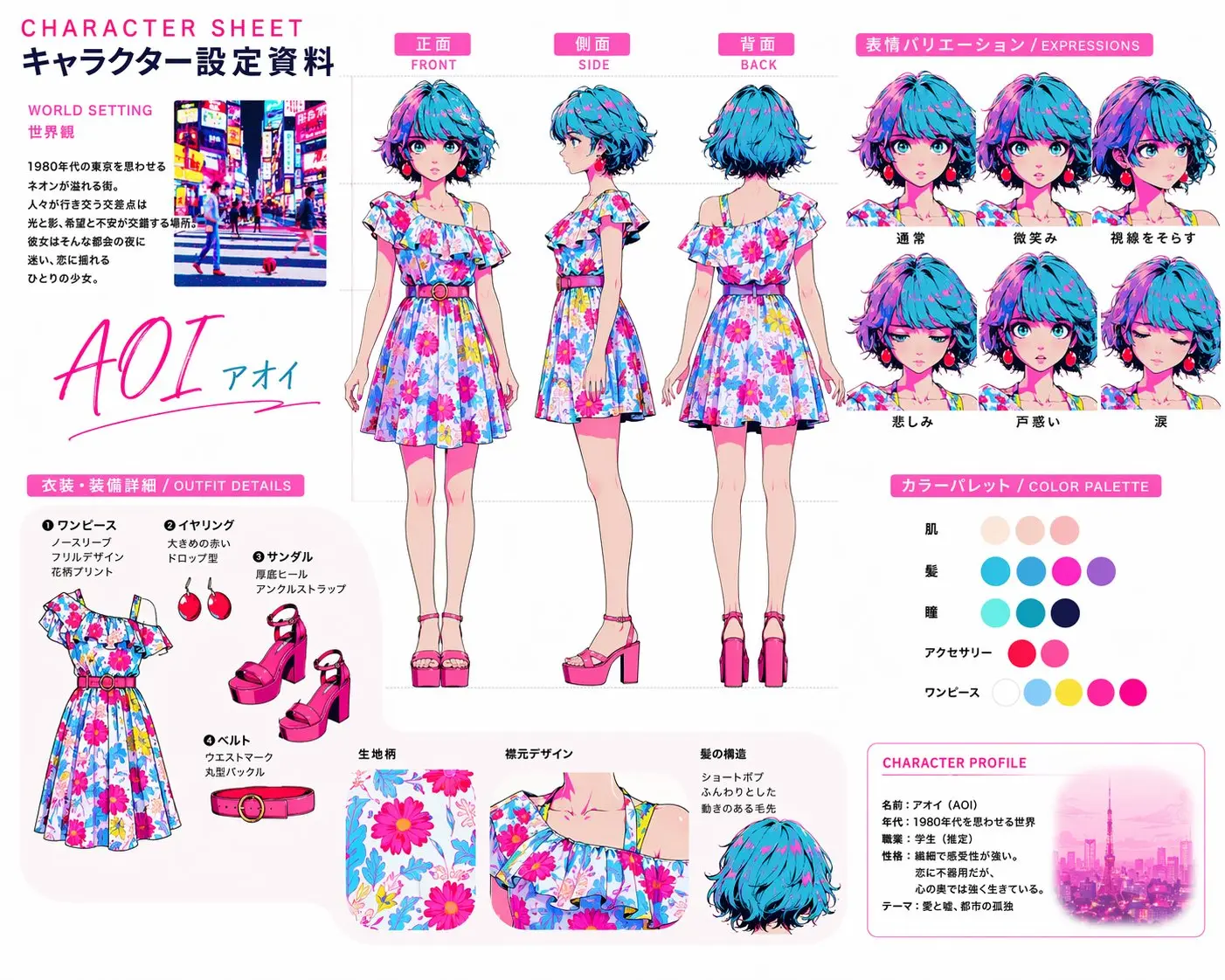
Multilingual Text Generation Across Global Workflows with ChatGPT Image 2 API
ChatGPT Image 2 API is especially relevant for visual creation that needs readable text across different languages and markets. This is important for localized ads, international packaging, interface mockups, educational graphics, and branded campaign assets where the text inside the image is part of the final design rather than a placeholder. With stronger multilingual text generation, ChatGPT Image 2 API becomes far more useful for global-facing workflows that need language accuracy and visual polish at the same time.
How to Access and Deploy GPT Image 2 API on ModelFold
- 1
Sign Up or Log In to ModelFold and Get Your GPT Image 2 API Key
Create your ModelFold account or log in to your existing workspace, then generate your GPT Image 2 API key once the model is available. This key will be used to authenticate requests and connect GPT Image 2 API to your own application, service, or internal image workflow.
- 2
Test GPT Image 2 API Free in the Playground
Use the playground to evaluate GPT Image 2 API before implementation. This allows you to test prompt behavior, compare text-to-image and image-to-image performance, review output quality, and validate whether the model fits your product requirements before moving into code-level integration.
- 3
Integrate GPT Image 2 API into Your Backend Service
Once testing is complete, connect GPT Image 2 API to your backend service and configure authenticated requests for image generation or image editing. This step usually includes setting request parameters, defining prompt handling logic, validating image inputs, and parsing returned outputs so GPT Image 2 API can operate reliably inside your application flow.
- 4
Build GPT Image 2 API Output Handling and Storage Logic
After backend integration, the next step is setting up how GPT Image 2 API outputs are processed and delivered. This includes handling generated image assets, storing output files, managing returned URLs or object storage, and defining how results are passed back to users or downstream services. A clean output pipeline is essential for turning GPT Image 2 API into a usable production component rather than a testing-only feature.
- ✓
Deploy GPT Image 2 API for Production Workloads
The final step is preparing GPT Image 2 API for stable production use across real workloads. This includes concurrency planning, retry logic, timeout handling, moderation flow, logging, and cost control, along with any product-specific rules for image generation or editing tasks. With those deployment layers in place, GPT Image 2 API can support more reliable usage inside AI Image Generator and AI Image Editor products.
Where OpenAI’s GPT-Image-2 API Can Add the Most Value
Campaign Visual Creation at Scale with GPT Image 2 API
GPT Image 2 API is especially useful for teams that need to produce a steady volume of polished campaign visuals across different channels and formats. It can support ad images, paid social creatives, promotional banners, launch graphics, seasonal assets, and other branded materials that need to move quickly from concept to usable output. For marketing workflows, the value is not only in generating images faster, but in creating visuals that feel closer to real campaign-ready creative from the beginning.
GPT Image-2 API for Product Image Editing and Merchandising
GPT Image-2 API fits e-commerce and merchandising workflows that require controlled visual updates rather than one-off concept art. Product teams can use it to adjust backgrounds, recolor items, refine listing images, test packaging looks, or update hero visuals for different campaigns without rebuilding the whole scene each time. That makes it particularly relevant for storefront operations and retail content systems where visual consistency and speed both directly affect conversion work.
Design Systems and Content Pipelines Powered by GPT Image 2 Model API
GPT Image 2 Model API works well in design-oriented environments where image generation is part of a broader content pipeline rather than a standalone feature. It can help create presentation graphics, editorial visuals, UI mockups, blog assets, infographics, concept frames, and branded support images that need to match a larger communication system. In this type of workflow, the model becomes more than a visual generator—it becomes a production layer for repeatable, structured content creation.
Expanding Global Visual Workflows with ChatGPT Image 2 API
ChatGPT Image 2 API is highly relevant for teams working across multiple regions, languages, and audience segments. It can support localized campaigns, multilingual packaging, region-specific promotional visuals, educational graphics, and interface assets where the text inside the image plays an important role in the final design. For international operations, that makes the model especially useful in workflows where visual adaptation, language accuracy, and creative consistency all need to move together.
Why Choose ModelFold for GPT-Image2 API Integration
Text-to-Image and Image-to-Image on One Endpoint
gpt-image-2-text-to-image and gpt-image-2-image-to-image both run on POST https://ai.modelfold.online/v1/images/generations with one ModelFold API key. The response returns the finished image URLs, so there is no task polling or callback to set up. Pricing for each resolution is shown in the pricing card above.
Set the Resolution Explicitly
Resolution should be set explicitly on every request. Higher resolutions drop some of the wider and taller aspect ratios, and the background option only works at 1K.
Prompts and Up to 16 Input Images
Prompts can run up to 2,000 characters on ModelFold, image-to-image accepts up to 16 input images in the Playground, and the aspect ratio is auto unless you set it. Input images must be publicly reachable URLs. New ModelFold users receive 80 free credits for testing. The full parameter list is in the playground and API docs above.
FAQs About GPT Image 2 API
What is GPT Image 2?⌄
GPT Image 2 is OpenAI’s latest state-of-the-art image generation model. It is designed for more precise visual creation, stronger instruction following, denser text rendering, broader multilingual output, and both image generation and image editing workflows.
What is the GPT Image 2 release date?⌄
The official GPT Image 2 release date is April 21, 2026. This means GPT Image 2 API is already live for real-world image generation and image editing workflows rather than remaining in an early preview stage.
Can I access GPT Image 2 API on ModelFold now?⌄
Yes. GPT Image 2 API is available now, and ModelFold can serve as a practical access layer for developers who want to use it for image generation and image editing workflows. This makes ModelFold a useful option for turning the model into real product features rather than treating it only as a model announcement or research milestone.
What can I build with GPT Image-2 API on ModelFold?⌄
On ModelFold, GPT Image-2 API can be used for localized advertising, infographics, explainers, educational content, design tools, creative platforms, and web creation products. It is especially valuable for teams that want to build practical image workflows for real business use, including visual creation systems that need both generation quality and editing flexibility.
Does ModelFold support both text-to-image and image-to-image with GPT Image 2 Model API?⌄
Yes. GPT Image 2 Model API supports both generating images from prompts and editing images through image-based workflows, and ModelFold can apply those capabilities to product-ready use cases. This gives developers a more flexible path for building AI Image Generator and AI Image Editor experiences inside the same API stack.
What are the main benefits of using GPT-Image-2 API on ModelFold?⌄
GPT-Image-2 API brings stronger instruction following, more accurate object placement, denser text rendering, broader aspect ratio flexibility, stronger multilingual performance, and more refined composition quality. On ModelFold, these advantages are especially useful for teams that need more immediately usable output for commercial visuals, explainers, educational assets, design workflows, and other production-oriented image tasks.
Can GPT-Image2 API on ModelFold handle multilingual text and complex layouts?⌄
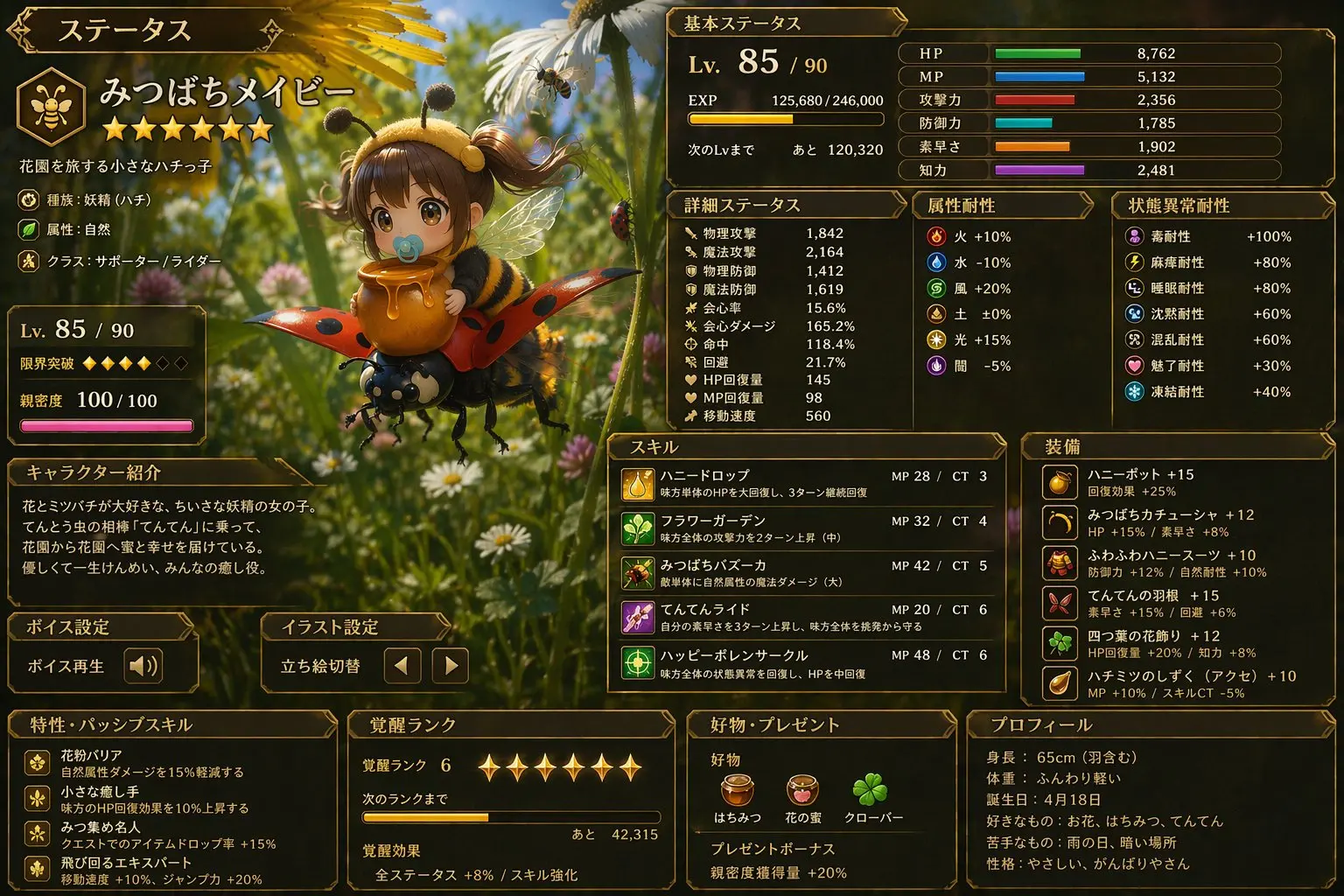
Yes. GPT-Image2 API is much stronger in multilingual image creation, including non-Latin text rendering in languages such as Japanese, Korean, Chinese, Hindi, and Bengali. On ModelFold, this makes it better suited for posters, explainers, diagrams, comics, interface-like layouts, and other visuals where text, iconography, and dense composition need to work together inside the same image.
Is ChatGPT Image 2 API useful for advanced multi-image workflows on ModelFold?⌄
Yes. ChatGPT Image 2 API is well suited for more advanced workflows that involve generating multiple distinct images from one prompt, creating more coherent multi-output tasks, and producing image sets with stronger continuity across a project. On ModelFold, this can support use cases such as manga pages, poster families, room redesign directions, social assets, and other workflows where a single image is not enough.
| GPT Image 2 Text To Image | |
| 1K | 8 credits / image |
| 2K | 13 credits / image |
| 4K | 20 credits / image |
| GPT Image 2 Image To Image | |
| 1K | 8 credits / image |
| 2K | 13 credits / image |
| 4K | 20 credits / image |
curl https://ai.modelfold.online/v1/images/generations \
  -H "Authorization: Bearer $MODELFOLD_API_KEY" \
  -H "Content-Type: application/json" \
  -d '{"model":"gpt-image-2-text-to-image","prompt":"..."}'