 ModelFold
ideogram/v3-text-to-image
Ideogram V3 provides text-to-image generation, masked editing and remix on ModelFold, with flexible rendering speed and creative controls.
Precio: 6 créditos / imagen.
Modelos de IA recientes y populares
Ideogram V3 API
Generate images from text, edit with masks, or remix existing artwork through the Ideogram V3 variants available on ModelFold. Use the Playground to review supported parameters and pricing.
Key Features of Ideogram V3 API
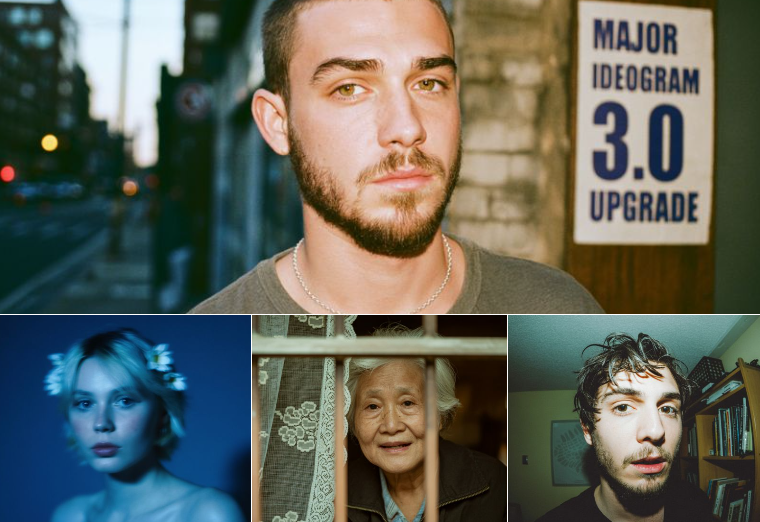
Key features of ideogram api v3 on ModelFold highlight its improvements in image realism, text handling, style consistency, and rendering flexibility.
Realistic Image Generation with Ideogram 3.0 API
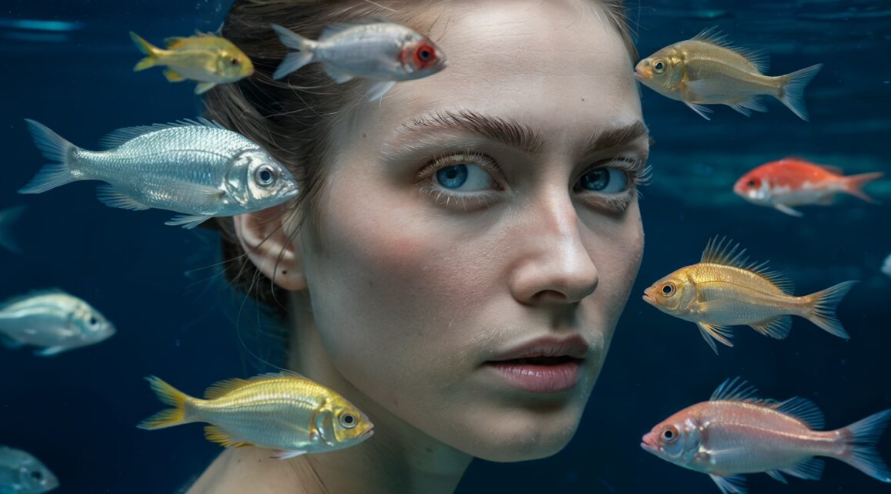
Ideogram 3.0 api delivers photorealistic results with advanced control over lighting, perspective, and composition. It handles complex environments and spatial layouts, producing visuals that look natural and professional.
Text to Image and Image to Image Support
Ideogram v3 api supports both text-to-image and image-to-image workflows. Users can create visuals from prompts or edit existing images with masks, reframes, and remixes. This dual capability makes ideogram api v3 suitable for end-to-end creative pipelines.

Advanced Text Rendering with Ideogram API V3
Ideogram api v3 delivers highly accurate text rendering. From single words to multi-line layouts, it produces clean, stylized typography—ideal for logos, posters, brand graphics, and professional marketing visuals.

Flexible Rendering Modes (Turbo, Default, Quality)
TURBO is suited to fast drafts, BALANCED balances speed and detail, and QUALITY prioritizes fidelity. See the Playground for available options.
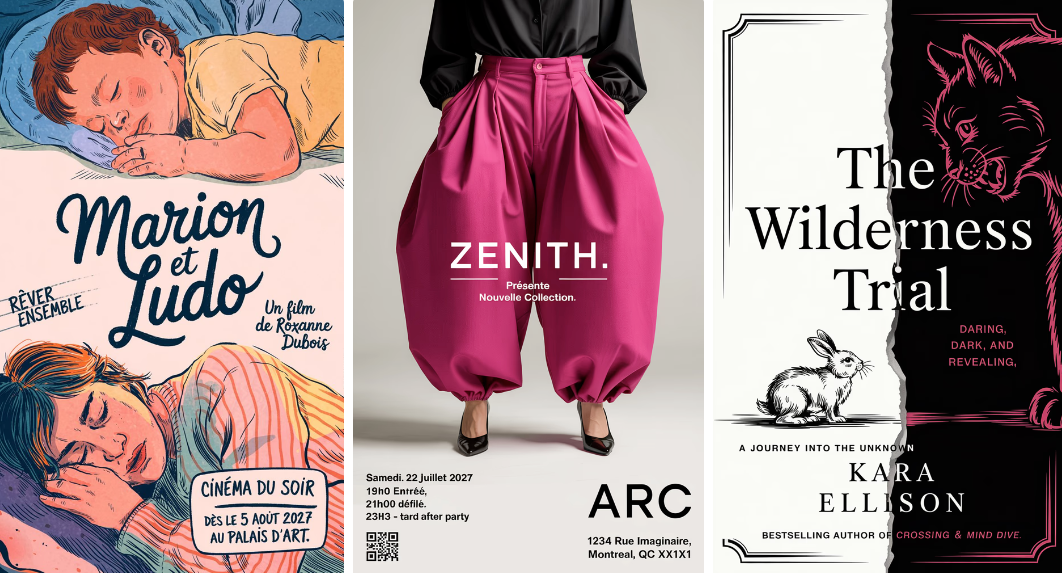
Style Codes & References for Consistency
With ideogram v3 api, creators upload up to three style reference images to guide generations. Each style can be saved as a reusable Style Code, ensuring brand consistency or character fidelity across multiple outputs.

Multiple Capabilities in Ideogram V3 API – Edit, Reframe, Remix
Edit supports masked changes and Remix produces prompt-driven variations. ModelFold currently provides these alongside text-to-image; a separate Reframe variant is not available.

Capabilities of Ideogram V3 API
ModelFold provides text-to-image, masked editing and remix through the variants listed on this page. A separate Reframe variant is not currently available.
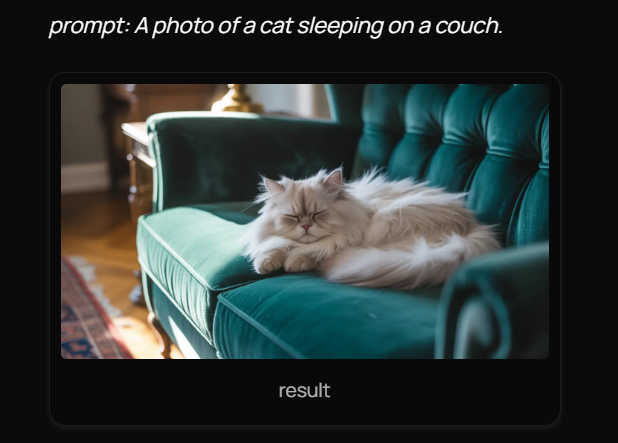
Generate with Ideogram 3.0 API
Generate images from prompts with ideogram/v3-text-to-image. Configure supported style, aspect ratio, negative prompt and seed options in the Playground.
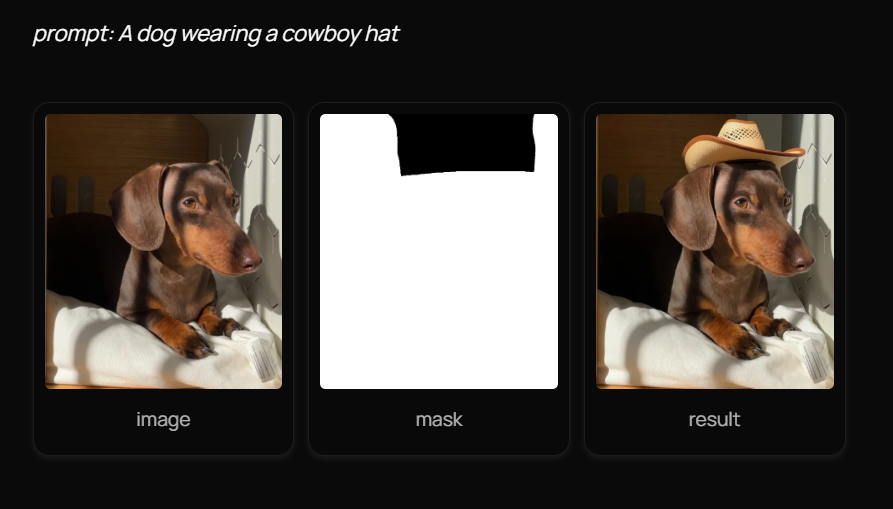
Edit with Ideogram 3.0 API
Edit an image using ideogram/v3-edit and a mask matching the input dimensions. The prompt guides changes in the selected area.
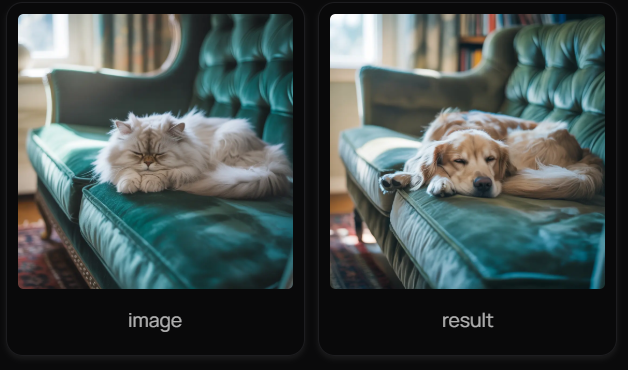
Remix with Ideogram 3.0 API
Remix an image with ideogram/v3-remix, a new prompt and a reference strength. Results are returned through the ModelFold image generation endpoint.
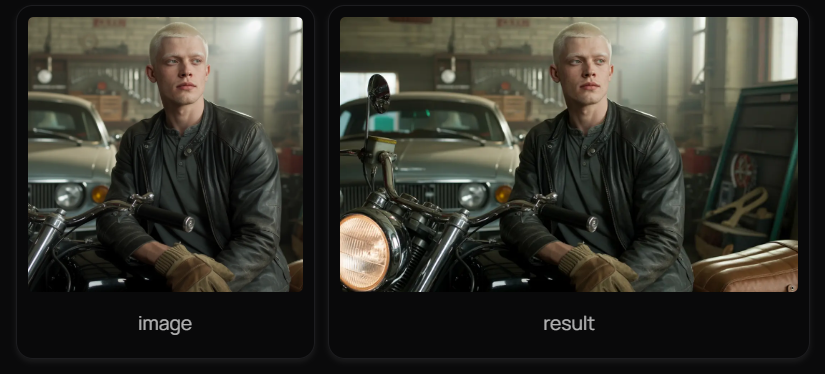
Reframe with Ideogram 3.0 API
Reframe is an Ideogram capability, but ModelFold does not currently provide a separate Reframe variant. Use the model variants and parameters actually listed on this page.
Use Cases for Ideogram API V3
Choose text-to-image, Edit or Remix for product posters, e-commerce images and brand artwork. The available variants and fields are shown in the Playground.
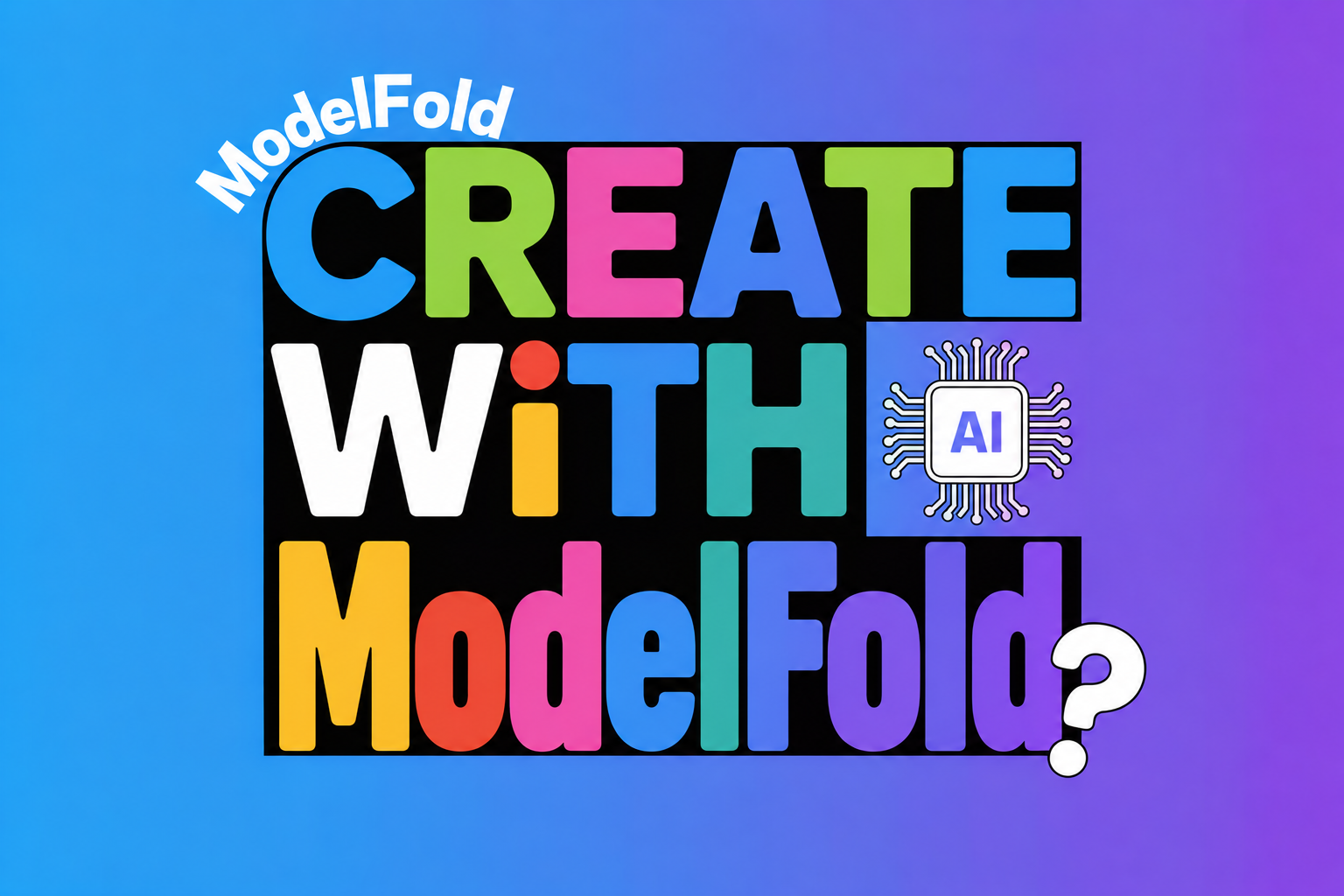
Ideogram V3 API Text to Image for Product Posters
Launching a new product often requires fresh campaign visuals. With ideogram v3 api text to image, posters can be generated directly from prompts that include brand slogans and product details, producing styled images with clear typography for both online and print.
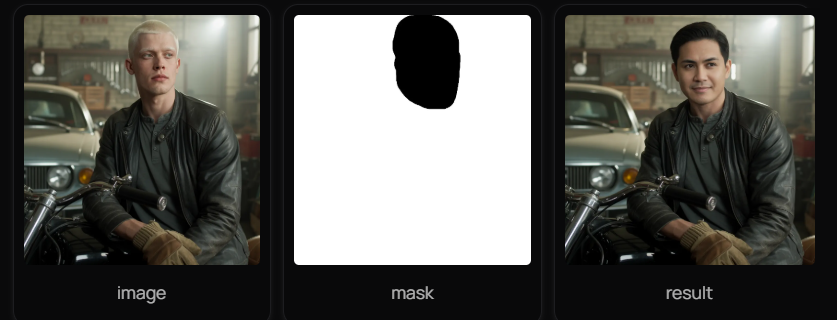
Ideogram V3 API Edit for E-Commerce Photos
Refreshing product catalogs no longer means costly reshoots. By applying ideogram v3 api edit, plain backgrounds are masked out and replaced with seasonal themes, giving existing product photos a polished look while keeping the items unchanged.
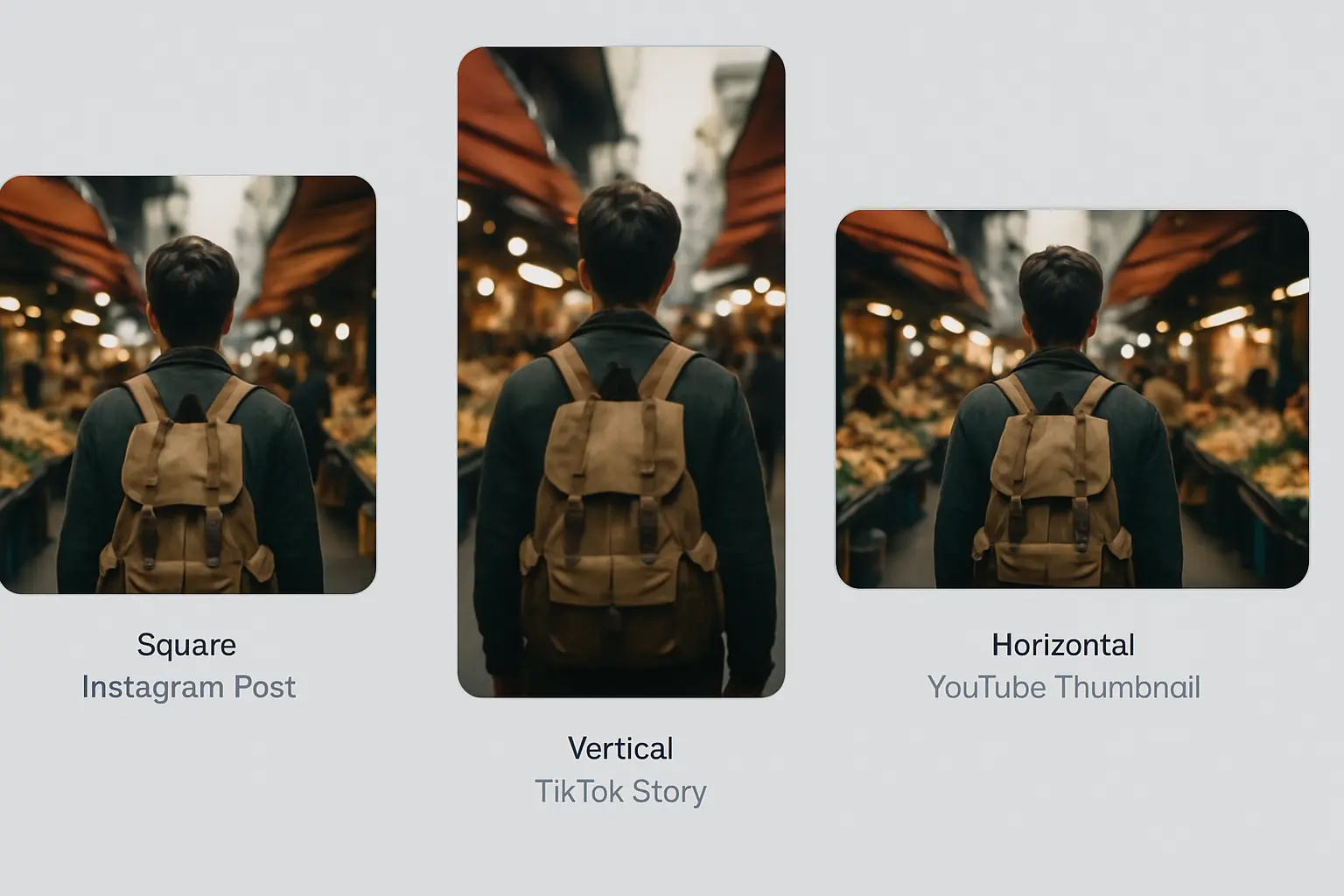
Ideogram V3 API Reframe for Social Media Formats
Choose a supported aspect ratio and generate or edit a composition for your target platform. A separate Reframe endpoint is not currently available on ModelFold.
Ideogram V3 API Remix for Brand Mascot Variations
Exploring different artistic directions becomes easier with ideogram v3 api remix. A single mascot illustration can be reimagined into multiple styles while maintaining its core identity, helping creative teams test variations quickly.
Why Choose ModelFold for Ideogram V3 API
Text-to-Image, Edit and Remix on One Endpoint
Use ideogram/v3-text-to-image, ideogram/v3-edit or ideogram/v3-remix with POST /v1/images/generations. Select TURBO, BALANCED or QUALITY rendering speed where supported. See this page for parameters and pricing.
Edit with a Mask That Matches Your Image
ideogram/v3-edit fills the masked part of an image from your prompt, and the mask must match the dimensions of the input image. In edit, MagicPrompt prompt expansion is on by default.
Remix Strength and Negative Prompts
Use remix strength to control how much of the reference is retained. The prompt takes precedence when it conflicts with the negative prompt. Promotional credits, if available, are shown in your account.
Frequently Asked Questions
What is Ideogram V3 API on ModelFold?⌄
ModelFold provides Ideogram V3 text-to-image, masked editing and remix through a unified image generation API.
How do I get an Ideogram API key?⌄
Register on ModelFold and create a key on the API Key page. The Playground uses your signed-in account; API integrations authenticate with your ModelFold key.
Is there a free way to test Ideogram V3 API?⌄
If your account has promotional credits, you can use them to test the Playground. Requests are charged at the displayed rates and available credits are shown in your account.
What rendering modes are available in Ideogram 3.0 API?⌄
TURBO is suited to fast drafts, BALANCED balances speed and detail, and QUALITY prioritizes fidelity. See the Playground for available options.
What capabilities are supported in Ideogram V3 API?⌄
ModelFold currently provides text-to-image, masked Edit and Remix. A separate Reframe variant is not available.
How does Ideogram V3 API compare to previous versions?⌄
Compared to v2, ideogram 3.0 api offers better text rendering, more accurate style transfer, faster generation speeds, and additional capabilities such as Edit and Reframe.
Where can I find the Ideogram V3 documentation?⌄
See the API section and model documentation link on this page for authentication, parameter details and integration examples.
| v3 edit | 6 créditos image |
| v3 remix | 6 créditos image |
| v3 text to image | 6 créditos image |
Precio fijo por ejecución, independientemente de la duración.
curl https://ai.modelfold.online/v1/images/generations \
  -H "Authorization: Bearer $MODELFOLD_API_KEY" \
  -H "Content-Type: application/json" \
  -d '{"model":"ideogram/v3-text-to-image","prompt":"..."}'